Automatic Ivalua documentation
All the documentation of your Ivalua configuration, up to date every day.
Ivalytics automatically generates the complete documentation of your Ivalua configuration: workflows, screens, rights and notifications. It refreshes every day, so your support team works from an exact reference.
What it changes for your support
- 30 to 50 %less congestion in your support queue.
- 44 %of the tickets that go past level 1 concern what Ivalytics documents.
- Every daydocumentation regenerated automatically, without writing a line.
30 to 50 %: Ivalytics estimate, the actual effect depends on your support.
Every corner of the configuration, documented.
The same clear documentation for every Ivalua object: the essentials first, the detail one click away.
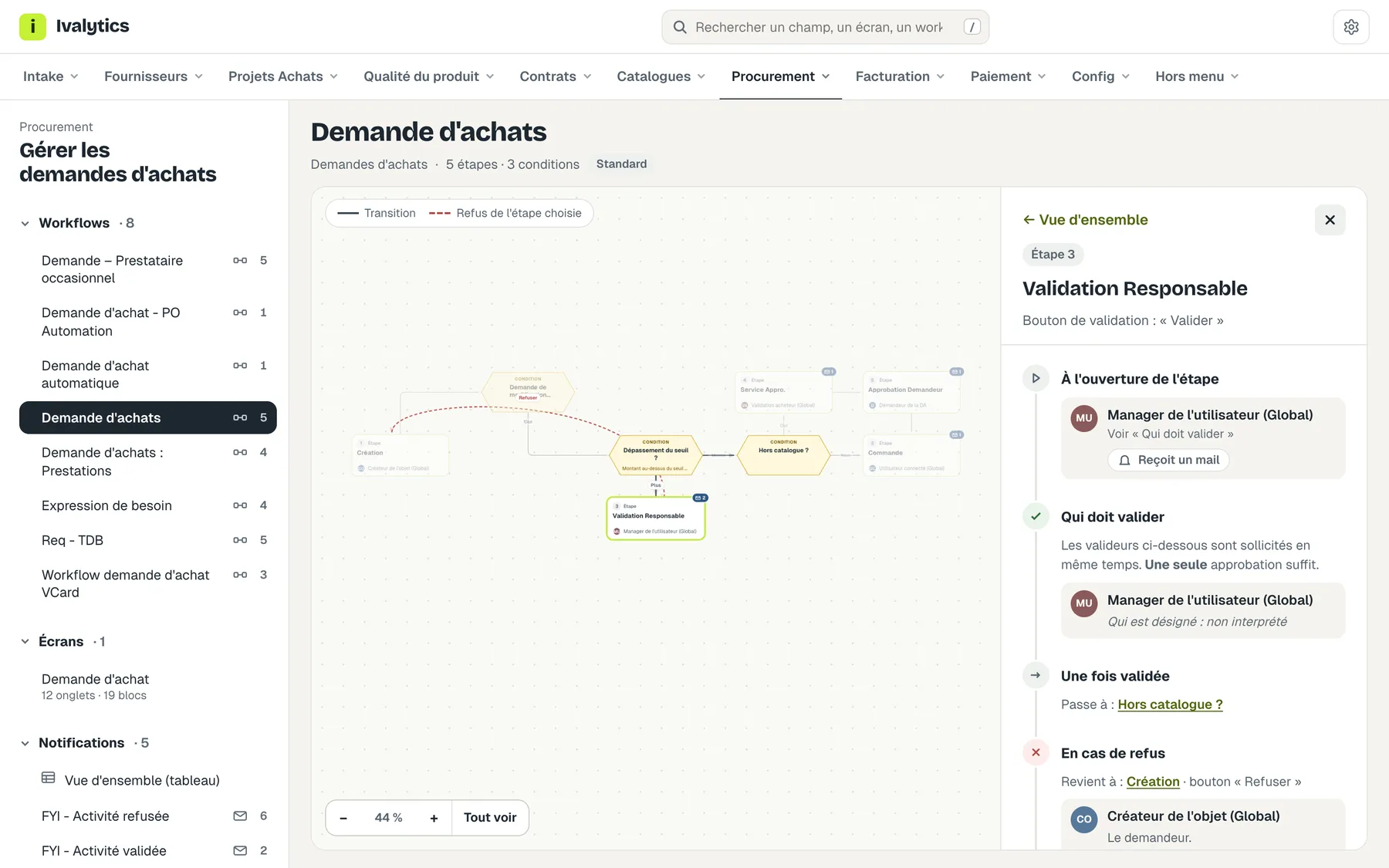
Every workflow, step by step
The full diagram with its conditions; for each step, who approves, who receives an email, and what happens on approval or rejection.
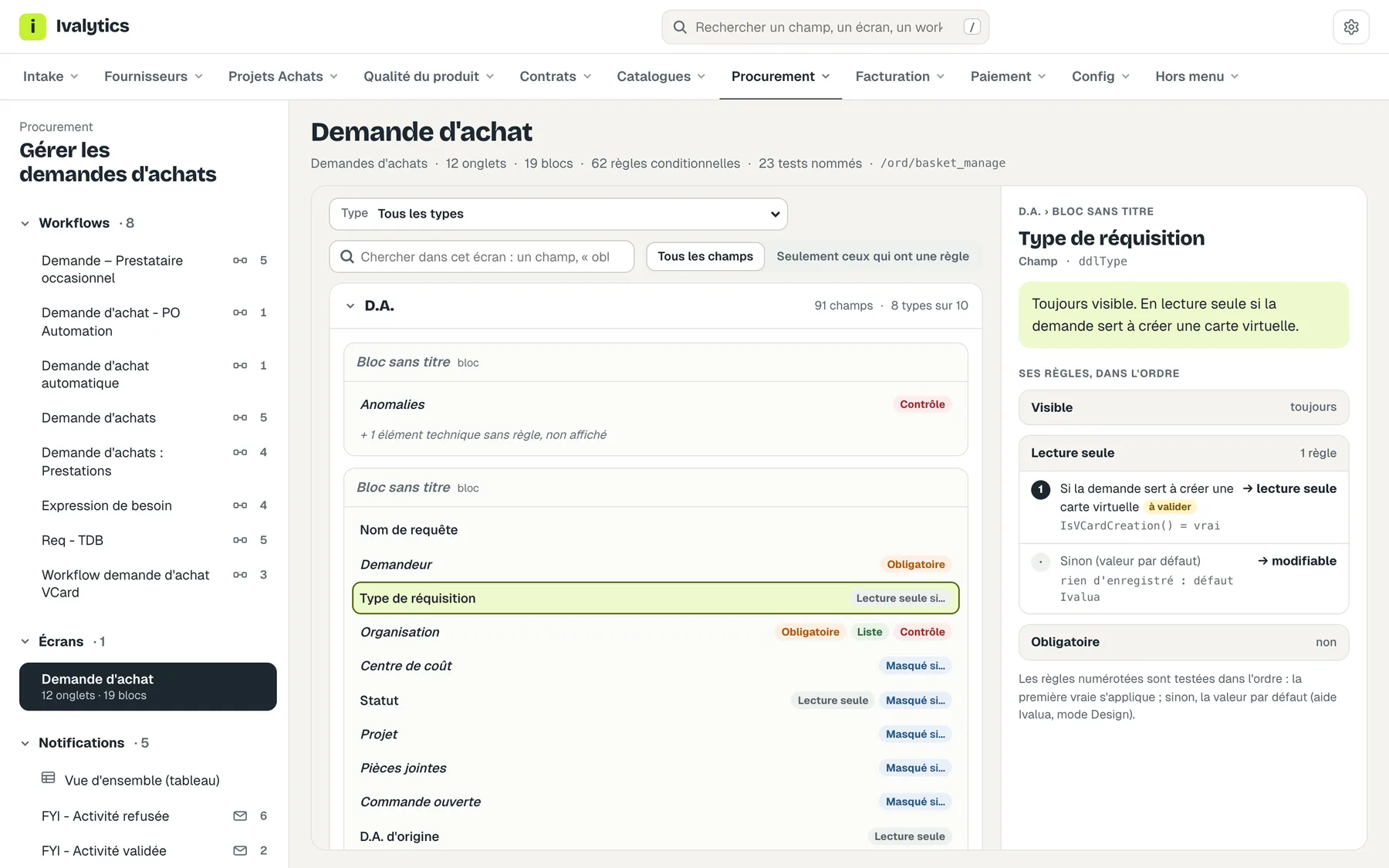
Every field, and the rule behind it
Mandatory, hidden, read-only: for each field, its default state and every rule that changes it, in the order Ivalua applies them.
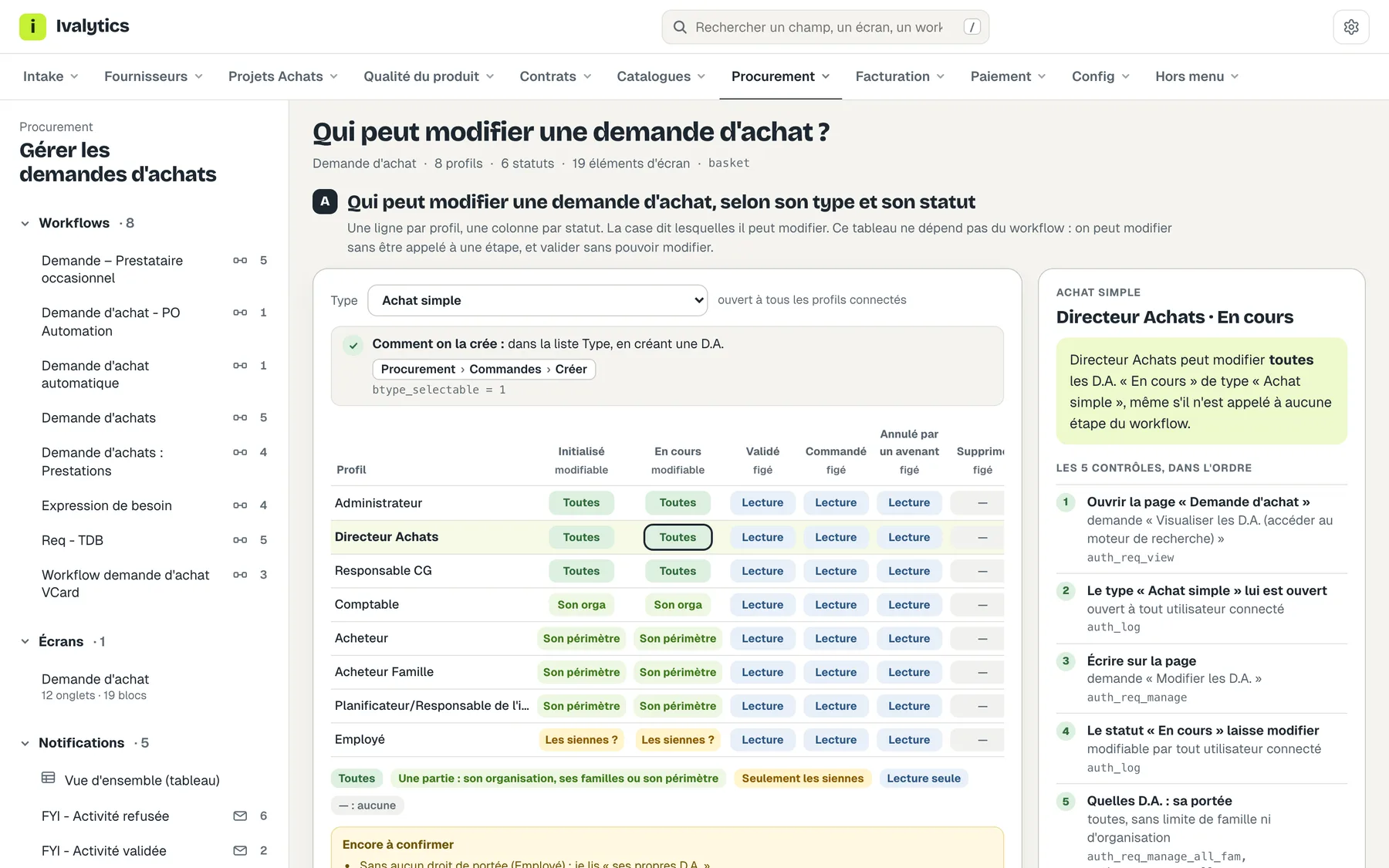
Who can change what, at which status
One row per profile, one column per status: the answer reads at a glance, and every cell is explained by its checks.
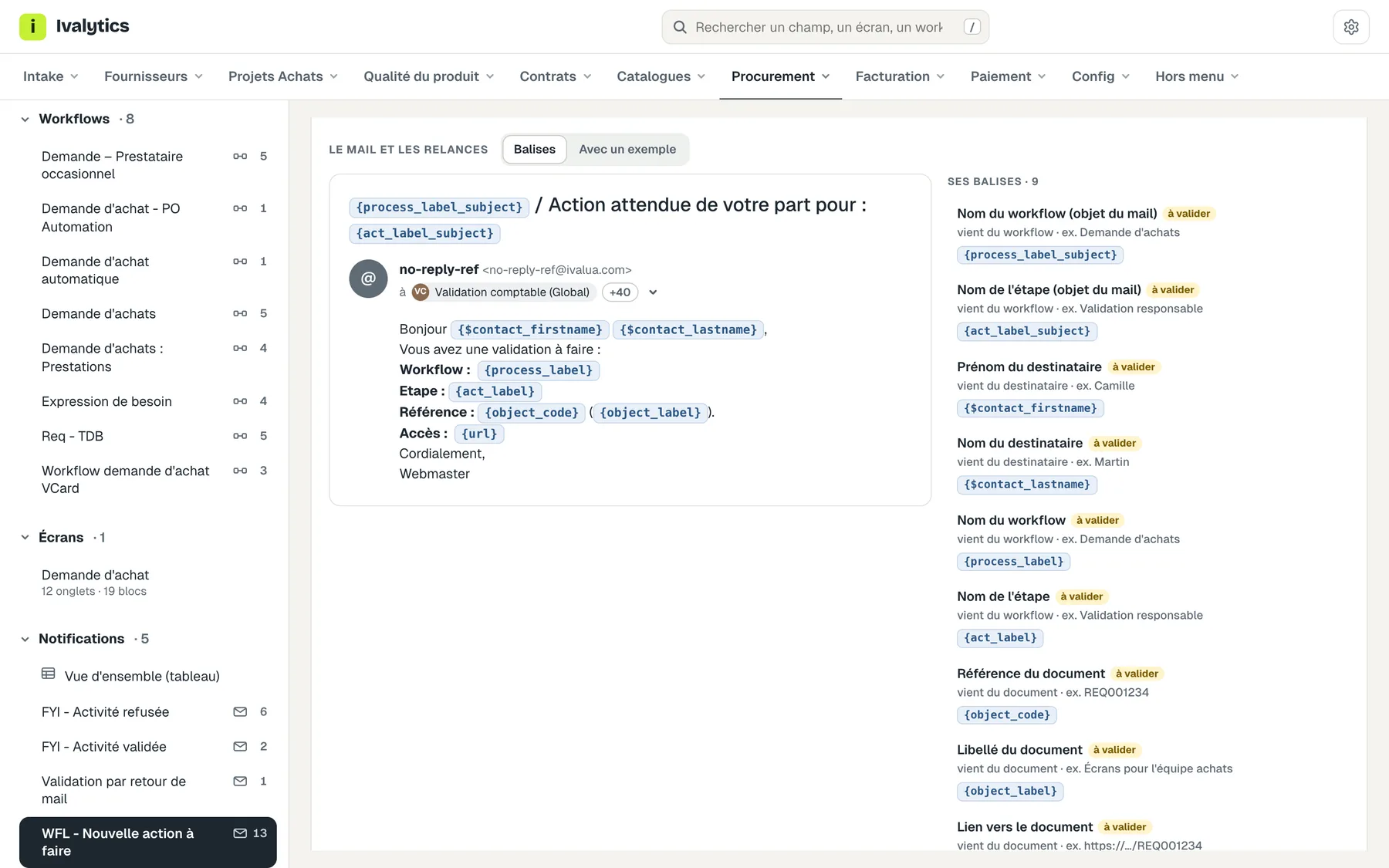
Every email, as it is sent
When it is sent, to whom, with its subject, its text and the meaning of each merge field.
Screenshots taken on the Ivalua standard configuration, with no client data.
Level 1 answers. Level 2 breathes.
Almost half of the tickets that go past level 1 (46 %) are not bugs: the configuration did what it was set to do, or needed a setting change. With a readable configuration, those answers sit at level 1.
Fewer tickets reach level 1
Answers about the configuration are documented: some questions never become a ticket.
Level 1 answers far more
Level 1 reads the real configuration, current as of today, and answers where it used to escalate.
A sharp drop in level 2 escalations
Level 2 focuses on the topics that truly need its expertise.
Where tickets past level 1 go
Anomalies and questions raised to levels 2 and 3, classified ticket by ticket.
Covered by Ivalytics44%
Not covered yet8%
Out of scope48%
What Ivalytics does not do.
Better said up front.
Fix bugs
Application and technical defects stay with the vendor and the integrator. With the cases unrelated to the configuration, they weigh 28 % of the tickets analysed.
Integrations and logs
Interfaces, data flows, technical logs and email delivery (server, sending log) are out of scope: 16 % of the tickets.
Track one specific document
“Where is my request?” needs the instance's live data. Ivalytics documents the configuration, not documents in progress: 4 % of the tickets.
Reference data and business help, not yet
Organisations, families, thresholds, delegations, and the “how do I”: 8 % of the tickets, planned but not covered yet.
Audit or change the configuration
Ivalytics describes the configuration as it is, read-only. It does not judge it and does not change it.
How it works
Reading the configuration
Ivalytics reads your Ivalua instance's configuration with read-only queries. Nothing is changed.
Generating the documentation
Workflows, screens, rights and notifications become a clear web portal, with the same content in Word, Excel, PowerPoint and Markdown.
Refreshing it every day
The documentation regenerates automatically every day and follows your configuration, with no effort on your side.
- Web portal
- Word
- Excel
- PowerPoint
- Markdown
See your configuration documented.
We show you Ivalytics on the Ivalua standard configuration, and what it would produce for your instance.
Request a demo